How to read your trading journal in 3 steps
Traders improve by reviewing, not by trading more. Your journal already holds your practice trades, and it reads them back to you in plain words.
Start with the Overview
The Overview opens with your total profit or loss for the period you picked, a plain count of how many trades made money, and a line that shows how your profit built up, trade by trade.
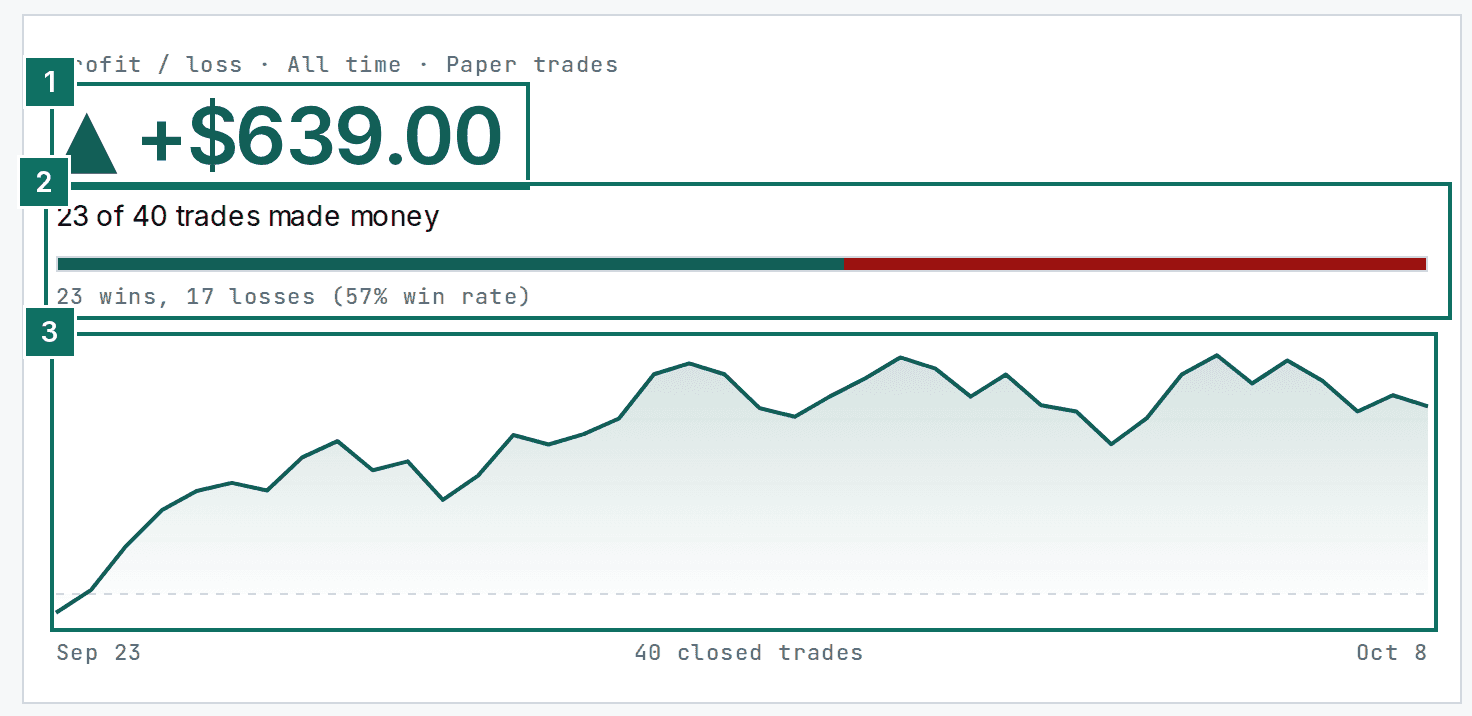
- Total profit or loss.
- How many trades made money, with wins, losses and win rate.
- Your profit over time, one point for each closed trade.
Compare this week with last week
Next to it, This week vs last week shows both results and says in one sentence whether you are ahead or behind. Best trade and Worst trade show the two extremes, with their dates.
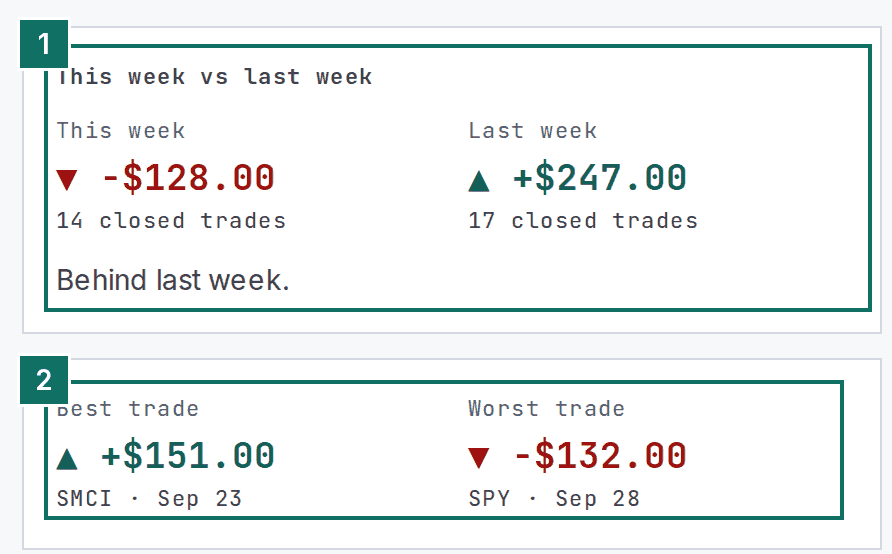
- This week and last week, with the number of closed trades and a one-line verdict.
- Your best and your worst trade.
Go through the trades
Trades lists every closed trade in plain words, newest first. Switch between List and Calendar, and filter to Wins or Losses to study one kind at a time. Paper means practice trades from the simulator.
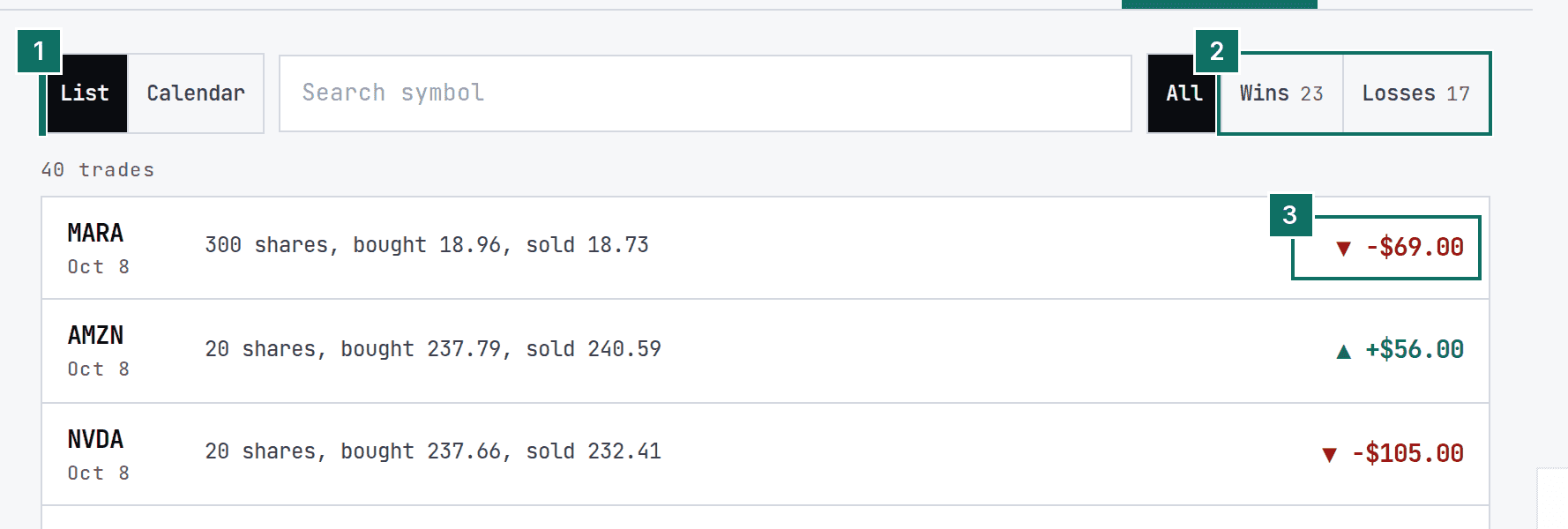
- List or Calendar view.
- Filter to Wins or Losses. All shows everything.
- The result of each trade, green for a win and red for a loss.
Trades as cards
Each trade is a card. The filters sit at the top, and the result is on the right of each card.
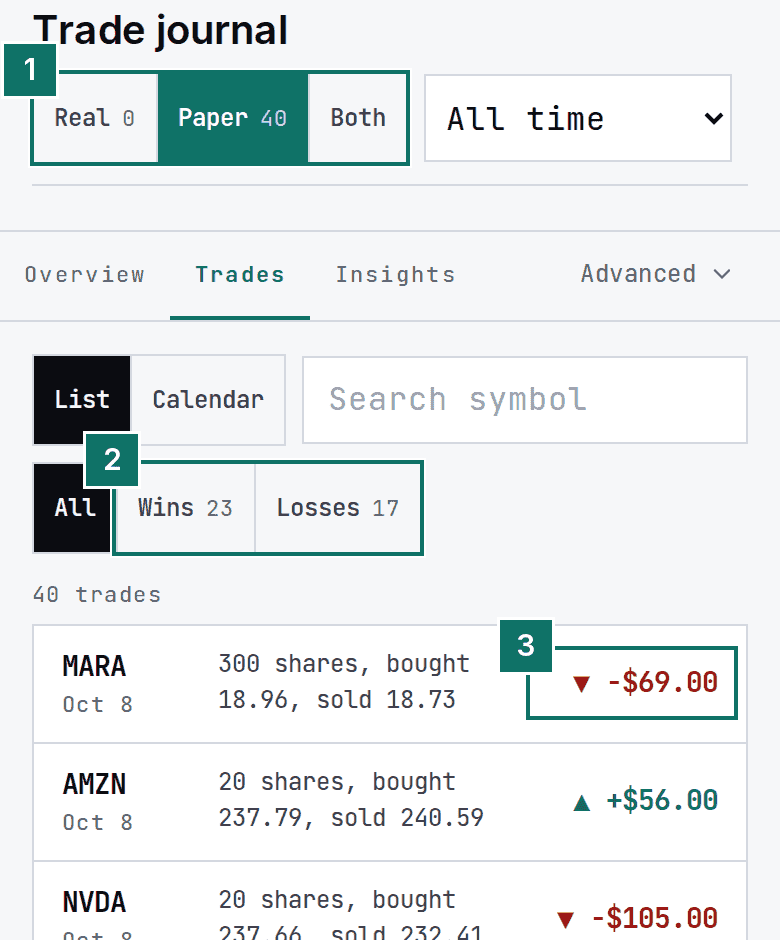
- Real, Paper or Both: which trades you are looking at.
- Filter to Wins or Losses. All shows everything.
- The result of the trade.
Ten minutes of review once a week beats an hour of trading. The Insights tab starts pointing out patterns once you have about ten trades.
More guides
- How to use a stock scanner in 3 steps
- How to place a practice stock trade in 4 steps
- How to build a watchlist and set price alerts
Looking for something else? See the full manual or the Academy.