How to build a watchlist and set price alerts
A watchlist and one alert turn Tapeboard from a place you visit into something that tells you when to look.
Build a watchlist
Your watchlist shows on the dashboard with live prices. Add any stock, crypto or currency pair from the watchlist page. The names on it get their own lines, with the overnight move, in The Tapeboard, our morning edition at 7:30 AM ET.
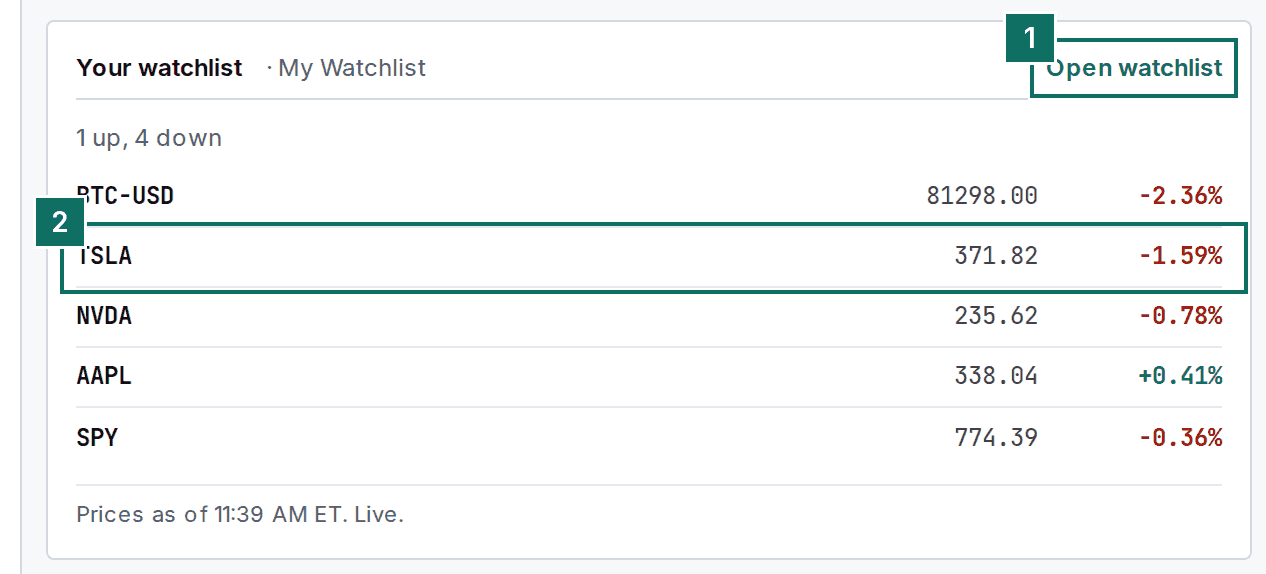
- Open watchlist to add or remove names.
- Each row shows price and today's change.
Set one alert
Pick a template or type a symbol, choose a type such as Price Above, enter a value and click Create Alert. Choose whether it fires once, once a day or every time. You are notified in the app, and by push or email if you turned those on.
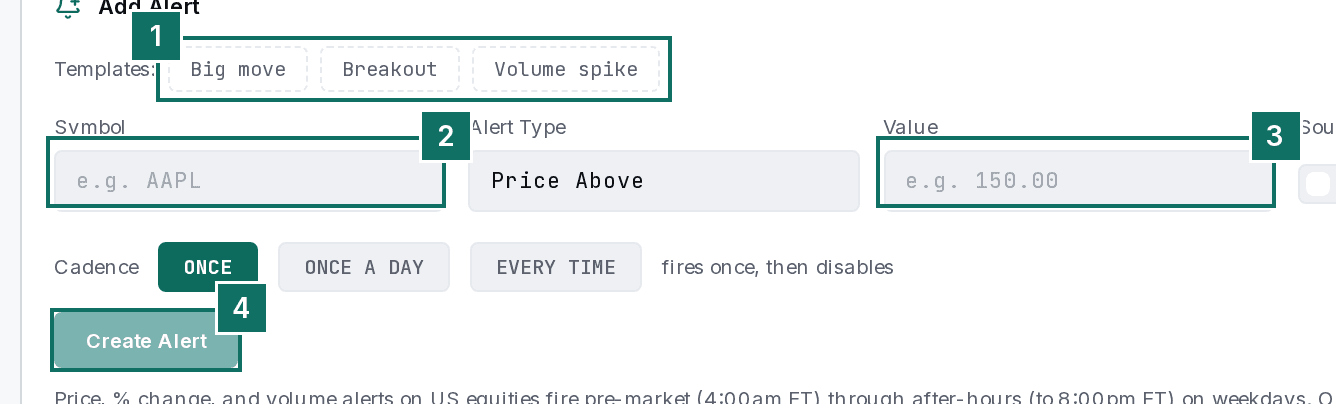
- Templates for the common cases: Big move, Breakout, Volume spike.
- The symbol.
- The value that triggers it.
- Create Alert.
Or start from the scanner
Right-click any scanner row and choose Set Price Alert, or click Arm alert on a scan panel to be told whenever a new stock joins it.
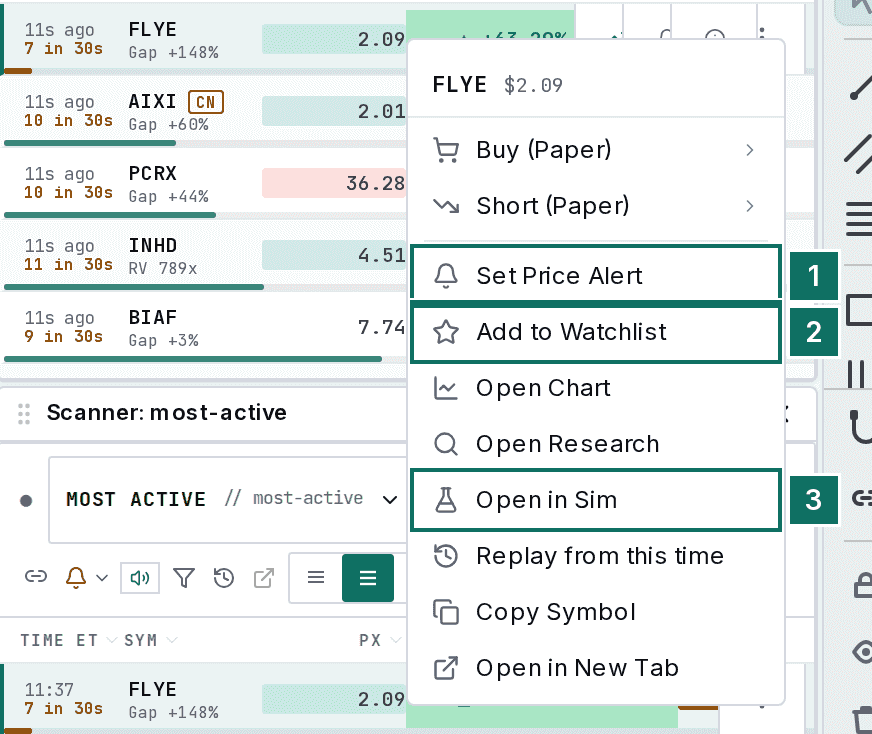
- Set Price Alert.
- Add to Watchlist.
- Open in Sim.
Five names and one alert is plenty. The next morning edition will already know your list.
More guides
- How to use a stock scanner in 3 steps
- How to place a practice stock trade in 4 steps
- How to read your trading journal in 3 steps
Looking for something else? See the full manual or the Academy.