Dated release notes for the scanner, charts, journal, and simulator. Newest first.
Release history
A new chart, alerts that reach you, and filings you can ask about.
New this month
A new chart across Tapeboard
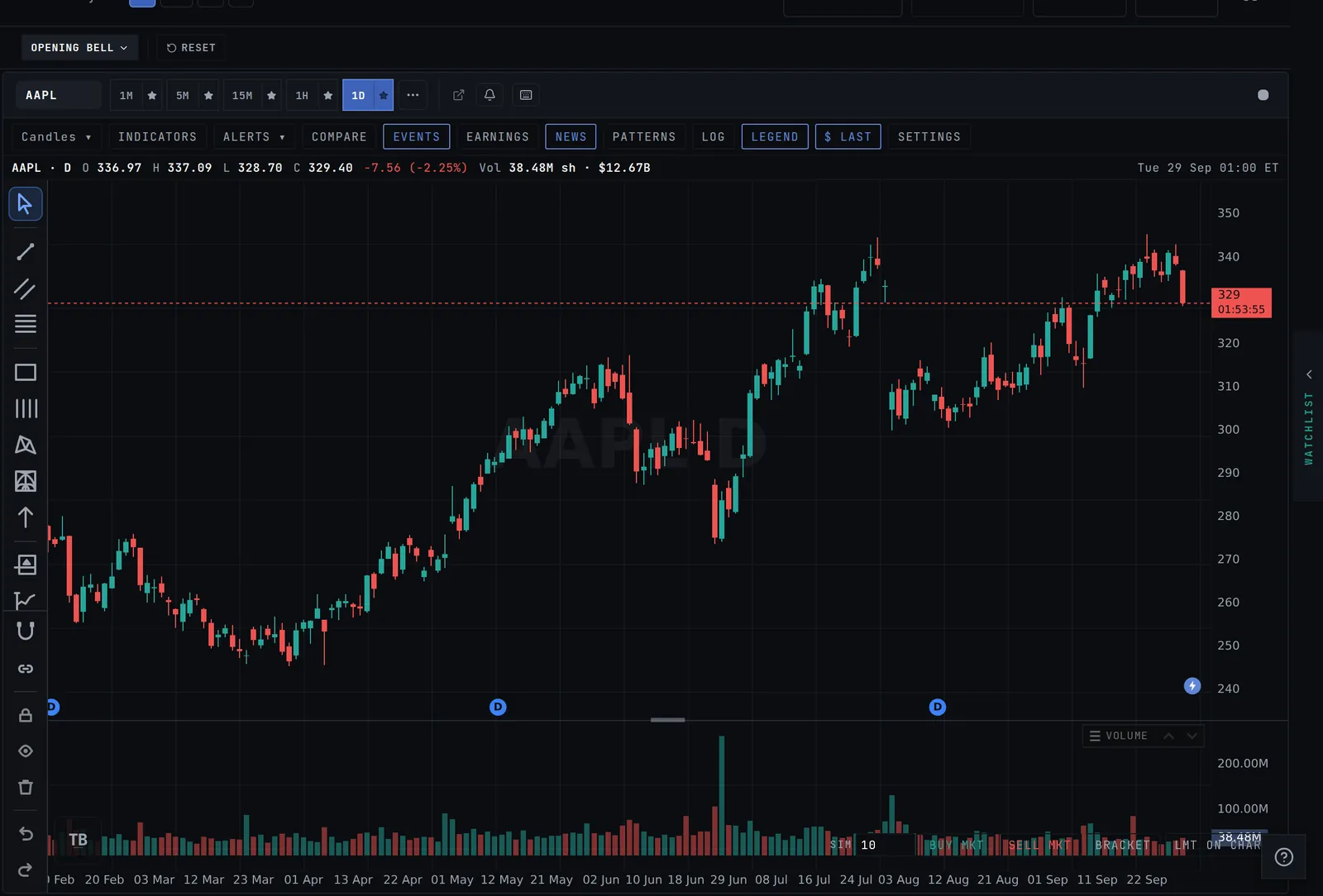
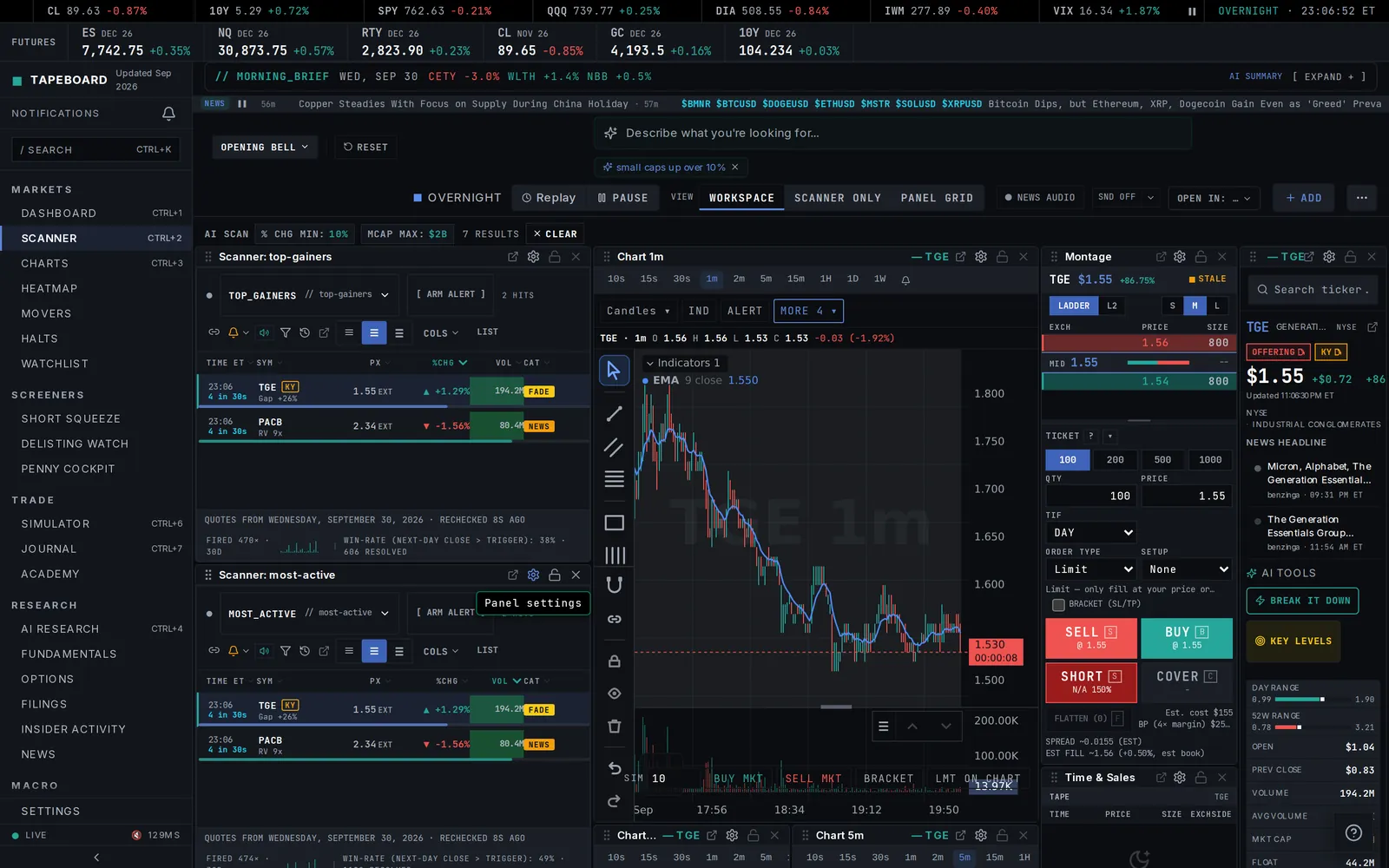
Charts, Research, the scanner, commodities and forex now run on our new chart. Switching symbols and timeframes is fast, earnings and dividends show as markers you can tap, news appears as a lightning bolt at the bar it broke, and pre-market and after-hours bars are shaded. Grid layouts sync the crosshair and zoom across panes.
Earnings colored by result, news at the bar it broke, and the extended session shaded.Open Charts →
Indicators that follow you
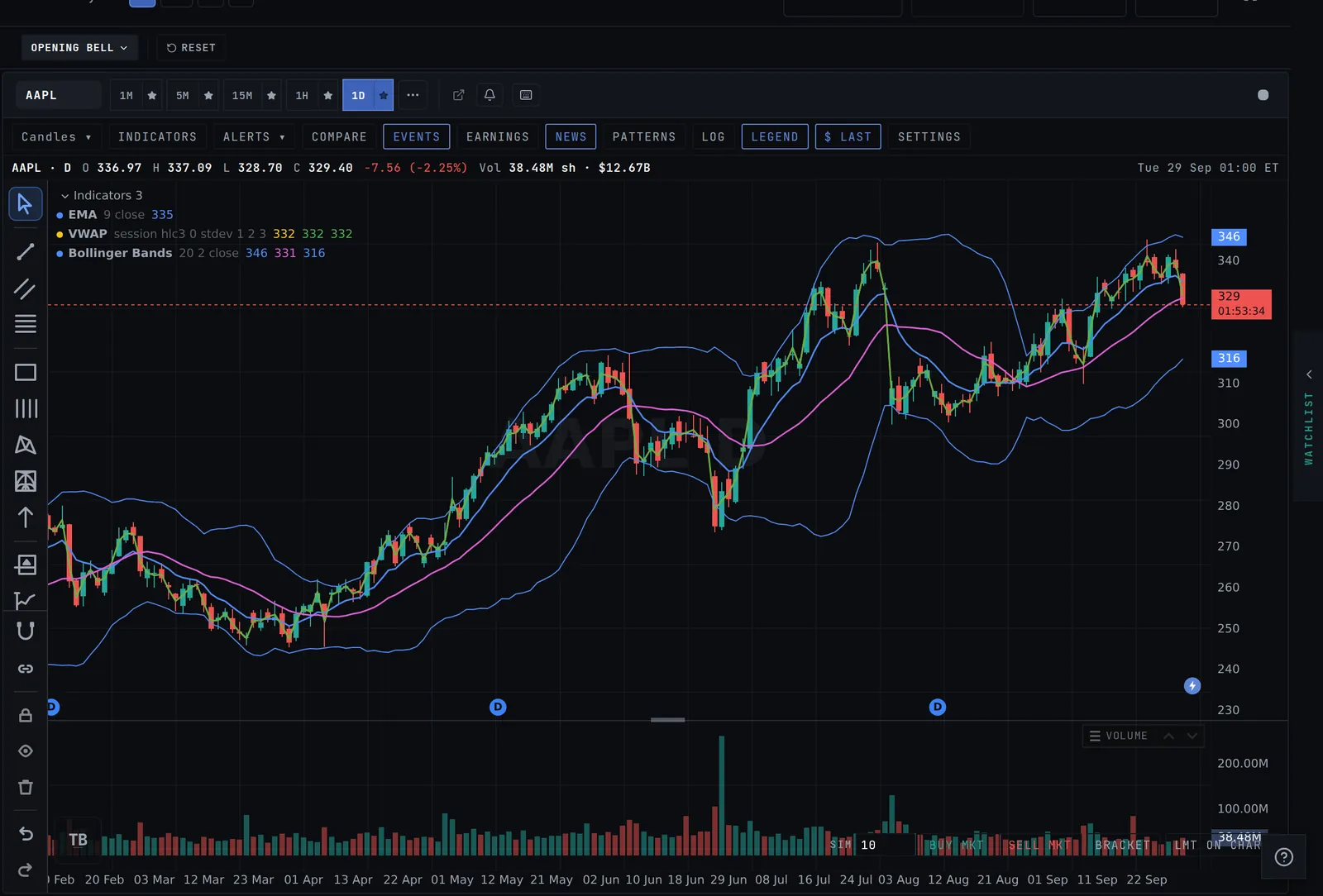
Add the same indicator as many times as you want, like EMA 9, 20 and 200, each in its own color with its value on the price scale. Your set follows you to every symbol, and each timeframe keeps its own set. Drag lower panes to reorder them.
Three EMAs and VWAP, each with its own color and price tag.Add indicators →
Alerts you set on the chart are real alerts
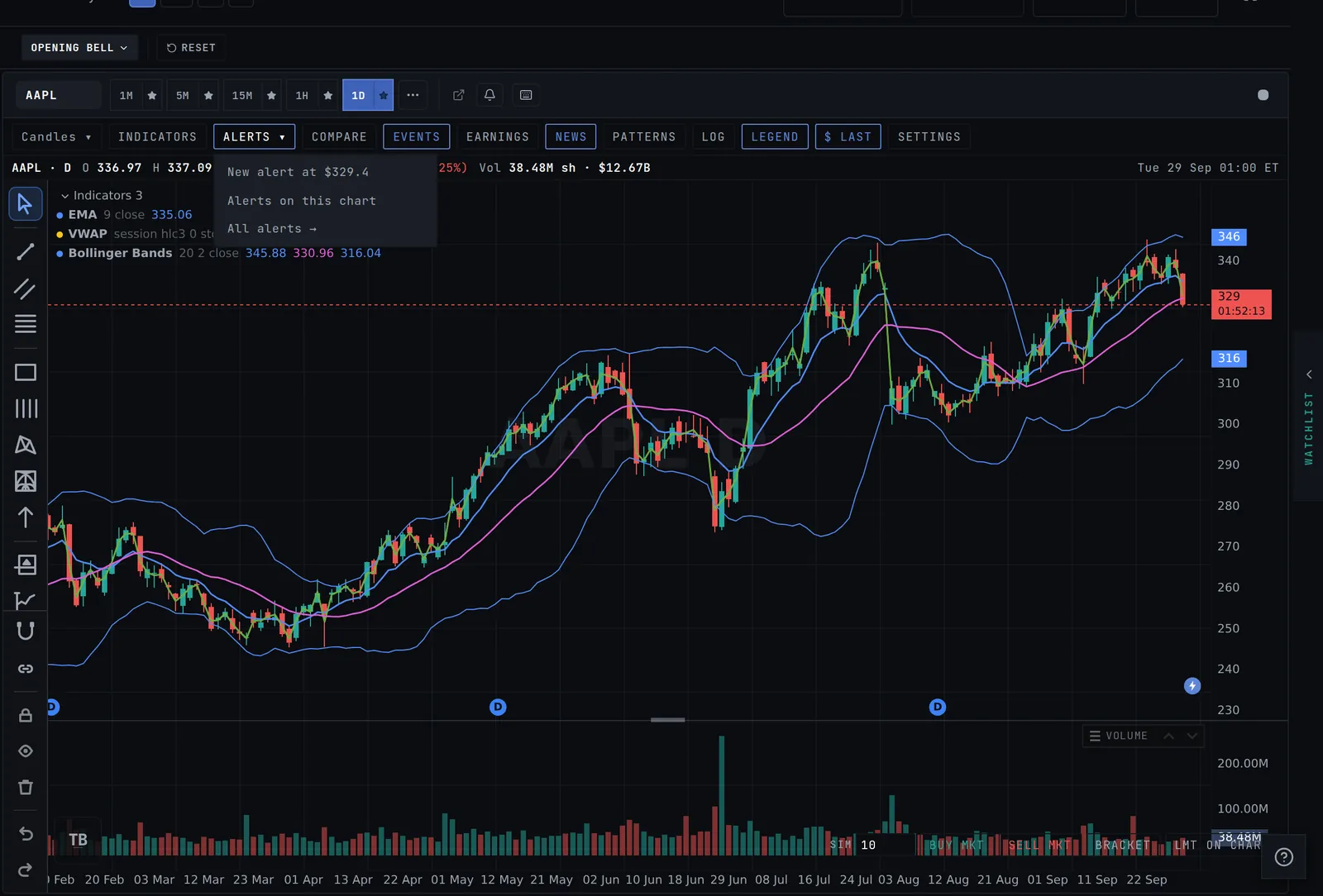
Set an alert from the chart and it shows up in your Alerts tab and fires with the tab closed, by push or email. Your existing alerts appear as lines on the chart, and the ALERTS menu sits in the chart toolbar.
New alert at the current price, this chart’s alerts, or all of them.Open your alerts →
Read the filing, ask the AI
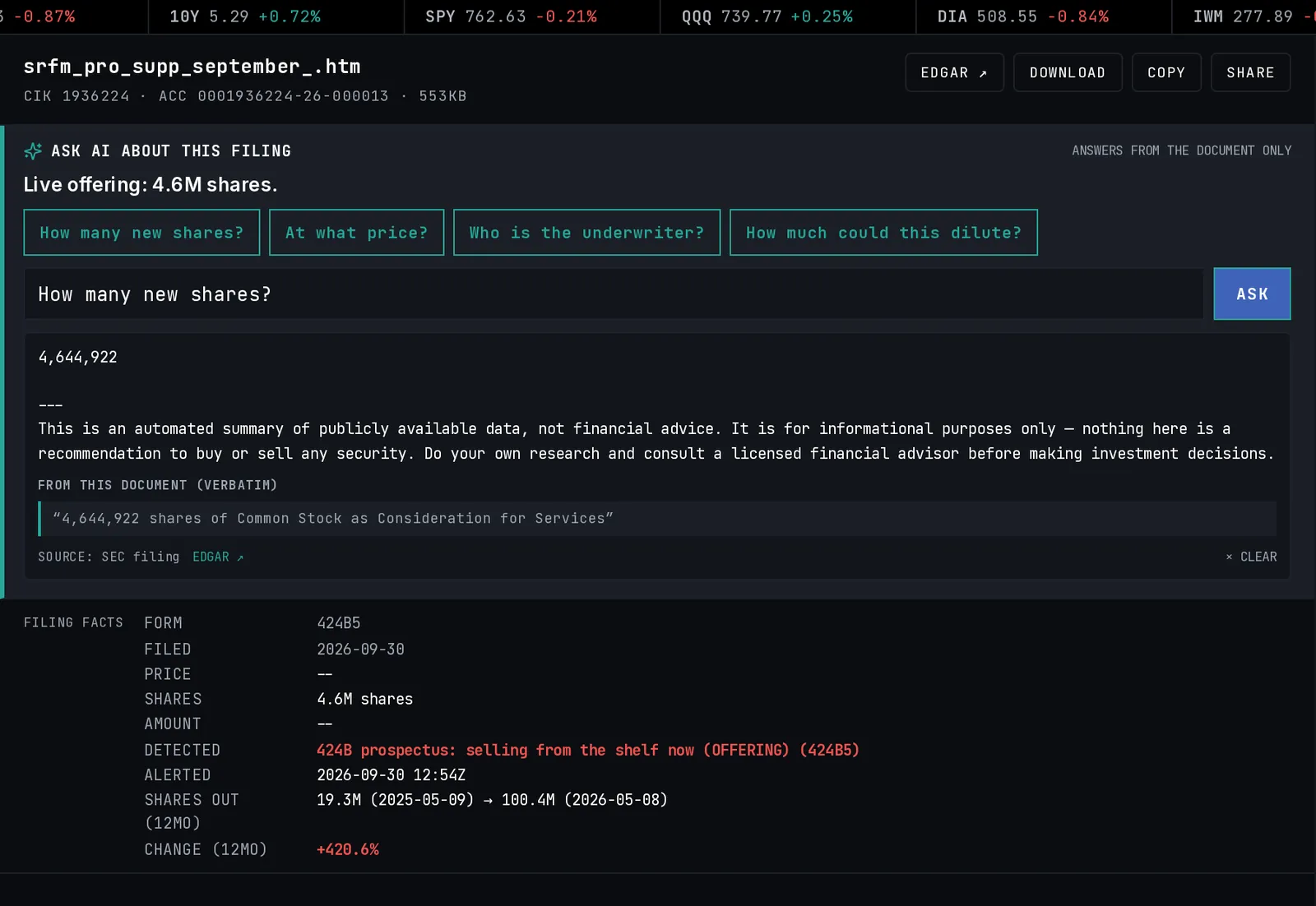
Tap a dilution tag and the filing opens inside Tapeboard with the key numbers on top. Ask the AI what it means: how many new shares, at what price, who the underwriter is, whether it is a shelf or a live offering.
Type what you are looking for, like small caps under $10 up 20% on heavy volume, and the scanner builds the filters. A futures strip with ES, NQ, RTY, crude, gold and the 10-year sits above the scanner, front and center before the open.
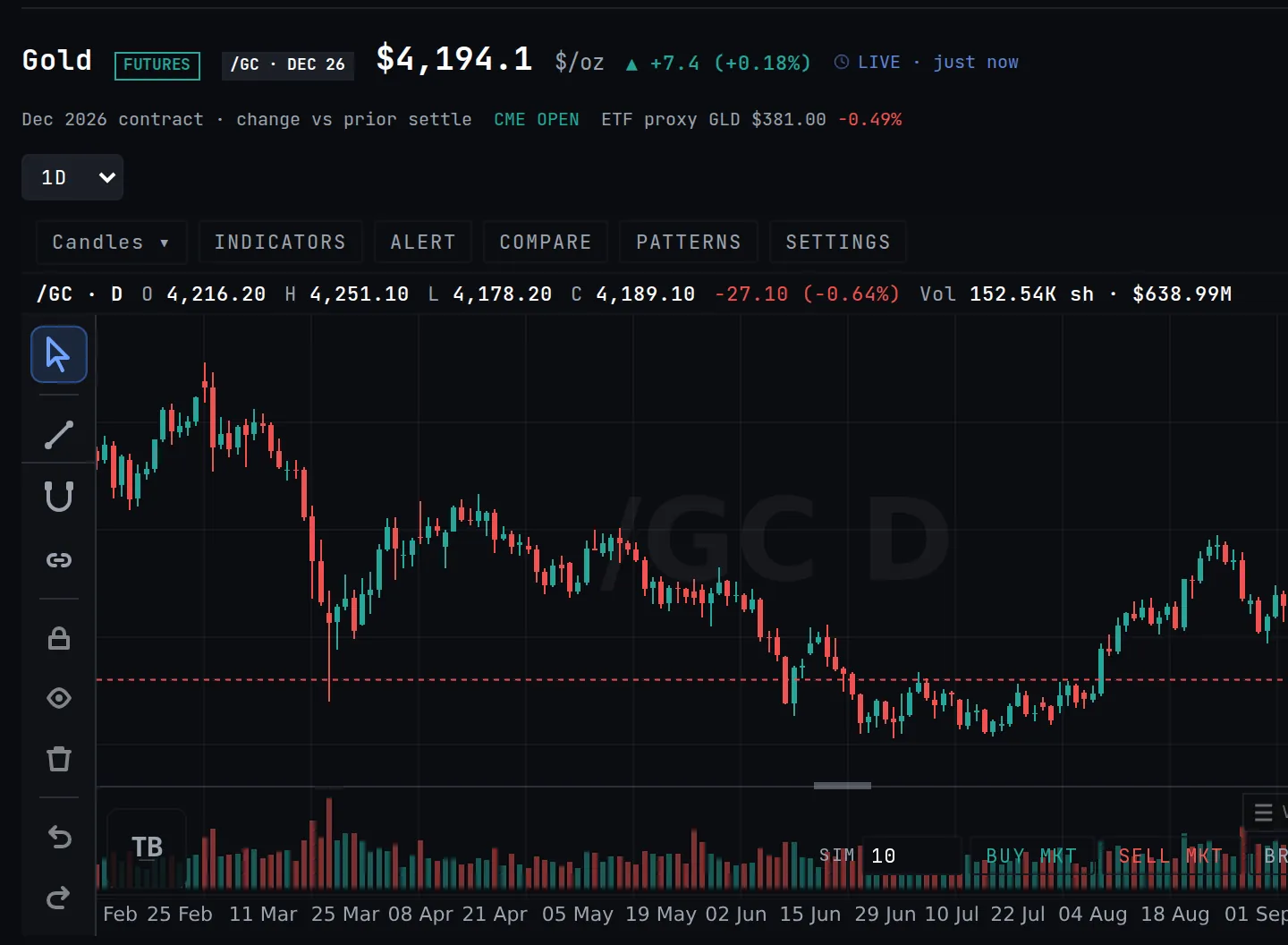
Commodities now show the actual futures contracts for crude, natural gas, gold, silver, copper and grains, with nearly round-the-clock charts. Forex quotes are real-time when you are signed in.
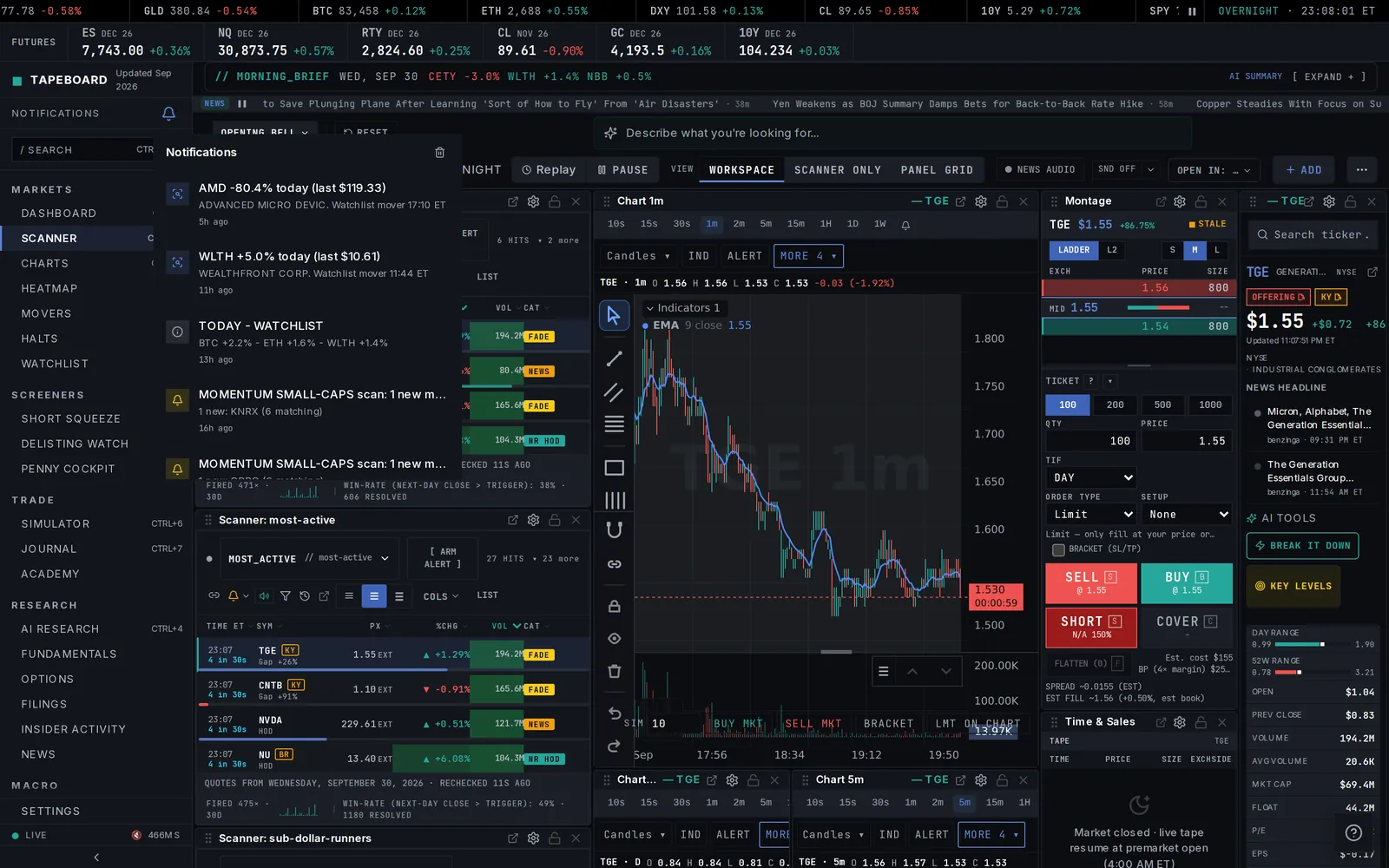
A notification bell on desktop, push that works on Chrome, Firefox, Android and the iPhone home-screen app, and a Send test button in Settings so you can check it yourself.
The montage and Level 2 ladder were redrawn to fit narrow panels, and the order ticket defaults to DAY+ in pre-market and after-hours.
The scanner uses one shared live connection and updates rows a few times a second instead of every frame, so busy sessions feel lighter.
Phones open the scanner on Top Gainers, Most Active and Sub $1 Runners in every session.
Candle patterns can be used in alert formulas, like bullish_engulfing() or inside bars, on any timeframe.
The daily trading recap email is easier to read, with your best and worst trade and one takeaway from your day.
Pre-market moves on the Quote tab are measured from yesterday’s close, the same as the scanner.
Fixes
Intraday charts stay intraday when a data source is slow: a backup feed fills in instead of falling back to daily bars.
The 15-minute chart shows today’s pre-market bars.
Menus on the chart (chart type, More, Alerts) open on top of neighbouring scanner panels.
The "trial ending" email arrives near the end of the trial, not on day one.
The mobile overhaul, and a terminal that stops making you wait.
New this month
Read the news without leaving the tape
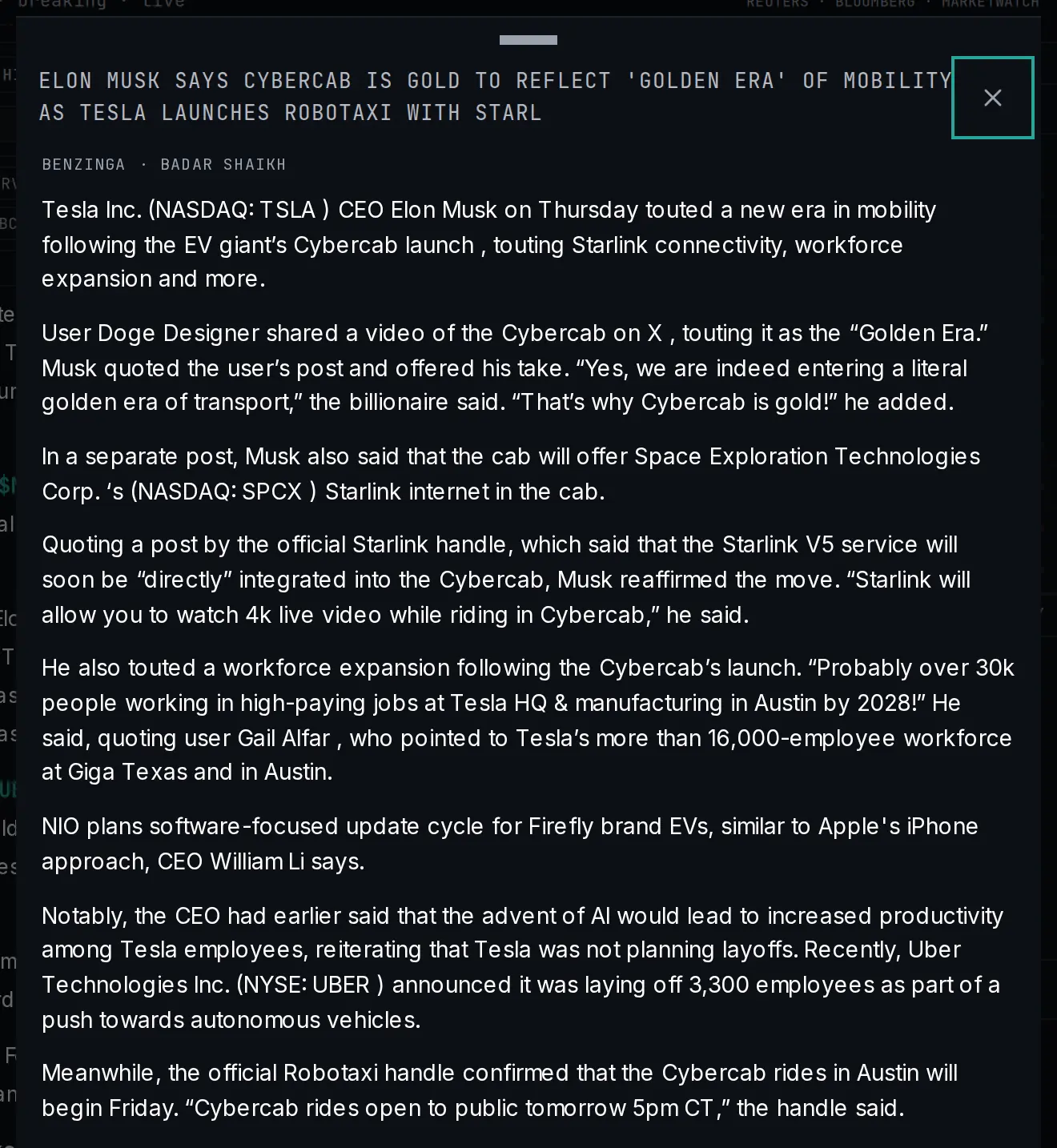
Headlines open as full articles inside Tapeboard — clean readable text, your place remembered, no more being kicked out to a browser tab mid-session.
Full stories, in the app: the tape stays behind you while you read.See it in News →
The phone app, rebuilt for real
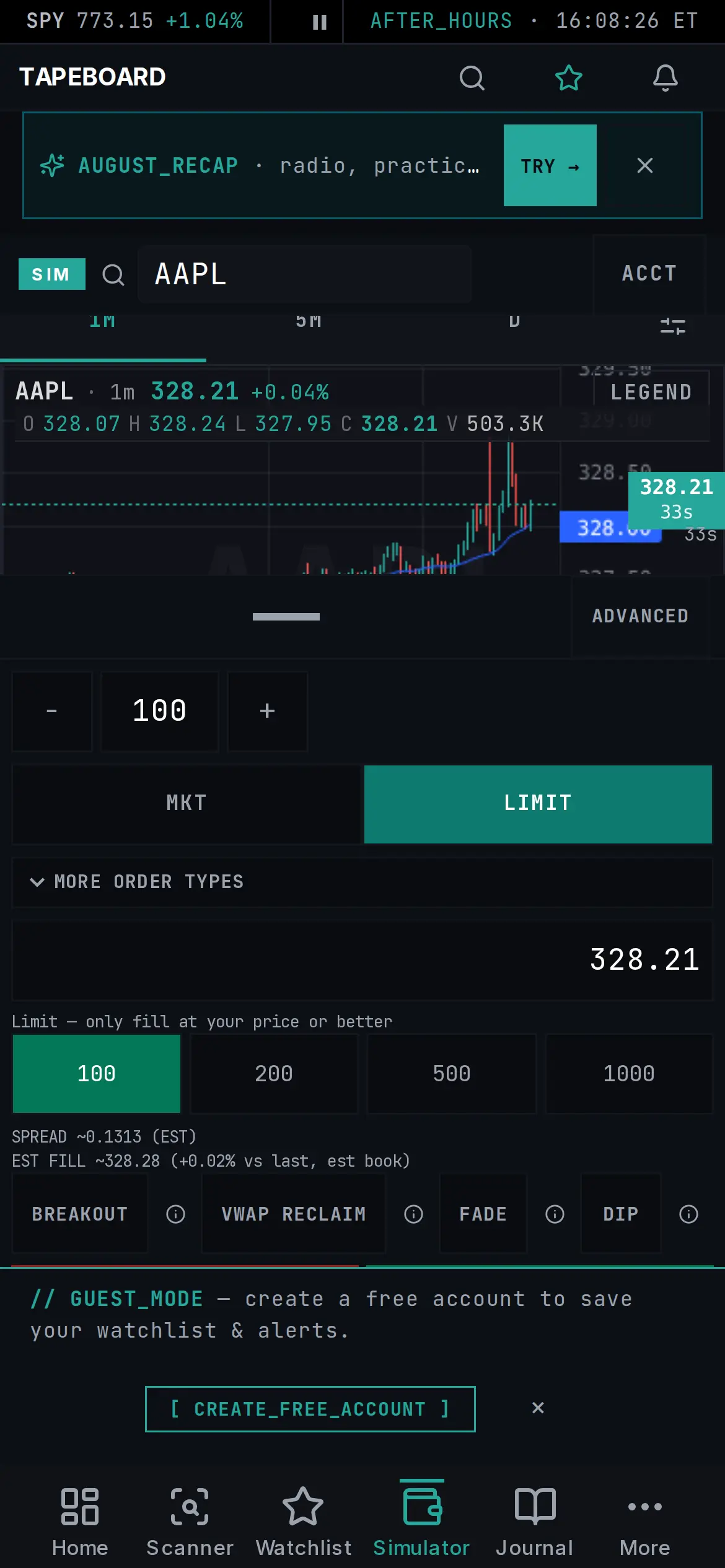
The scanner is a swipeable card feed with live mini-charts, the Simulator has thumb-sized tickets and a replay bar for practicing on real days, and the Journal lives in the bottom tab bar. Everything on a phone now feels built for a phone.
The mobile Simulator rebuilt end-to-end: searchable tickets, scrollable orders, thumb-sized actions.Open Tapeboard on your phone →
Practice with nothing on the line — no account needed
The Simulator now runs with no sign-up at all: paper-trade the real tape instantly, create the account only when you want to keep your record across devices. On top of that, an opt-in weekly practice league and a report card that grades your process — stops set, plan followed, notes written.
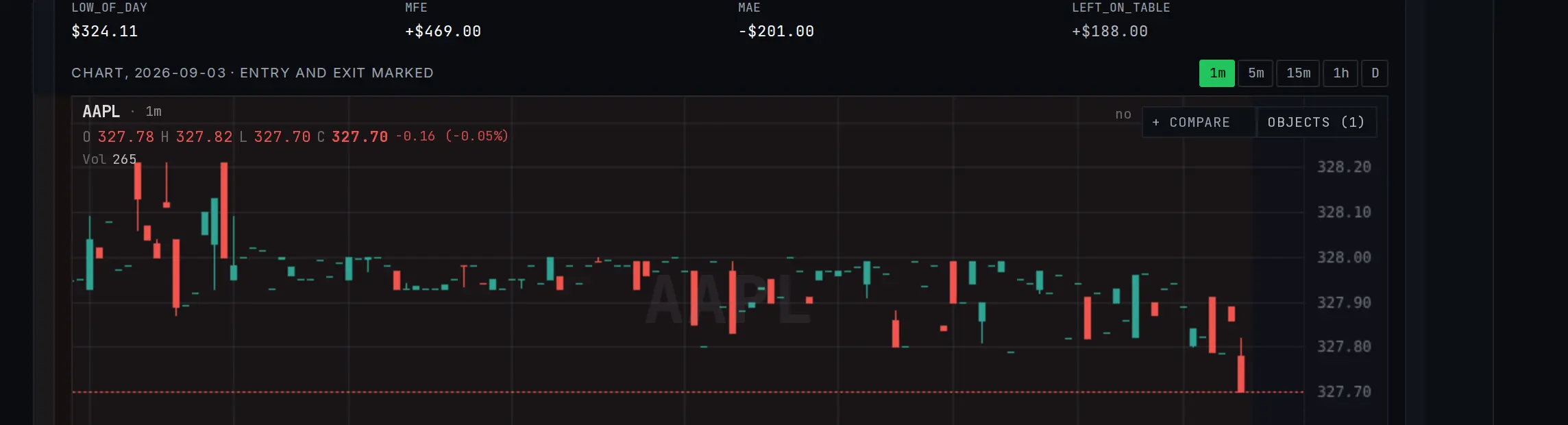
Closed trades replay bar-by-bar — entry, stop, target — so review sessions show what actually happened instead of what you remember.
Per-trade replay: the bars you traded, one by one.Open Journal →
Pop out any panel into its own window
Build your layout across monitors: any panel pops out to its own window, and full workspace layouts now export/import as portable files so you can back them up or share them.
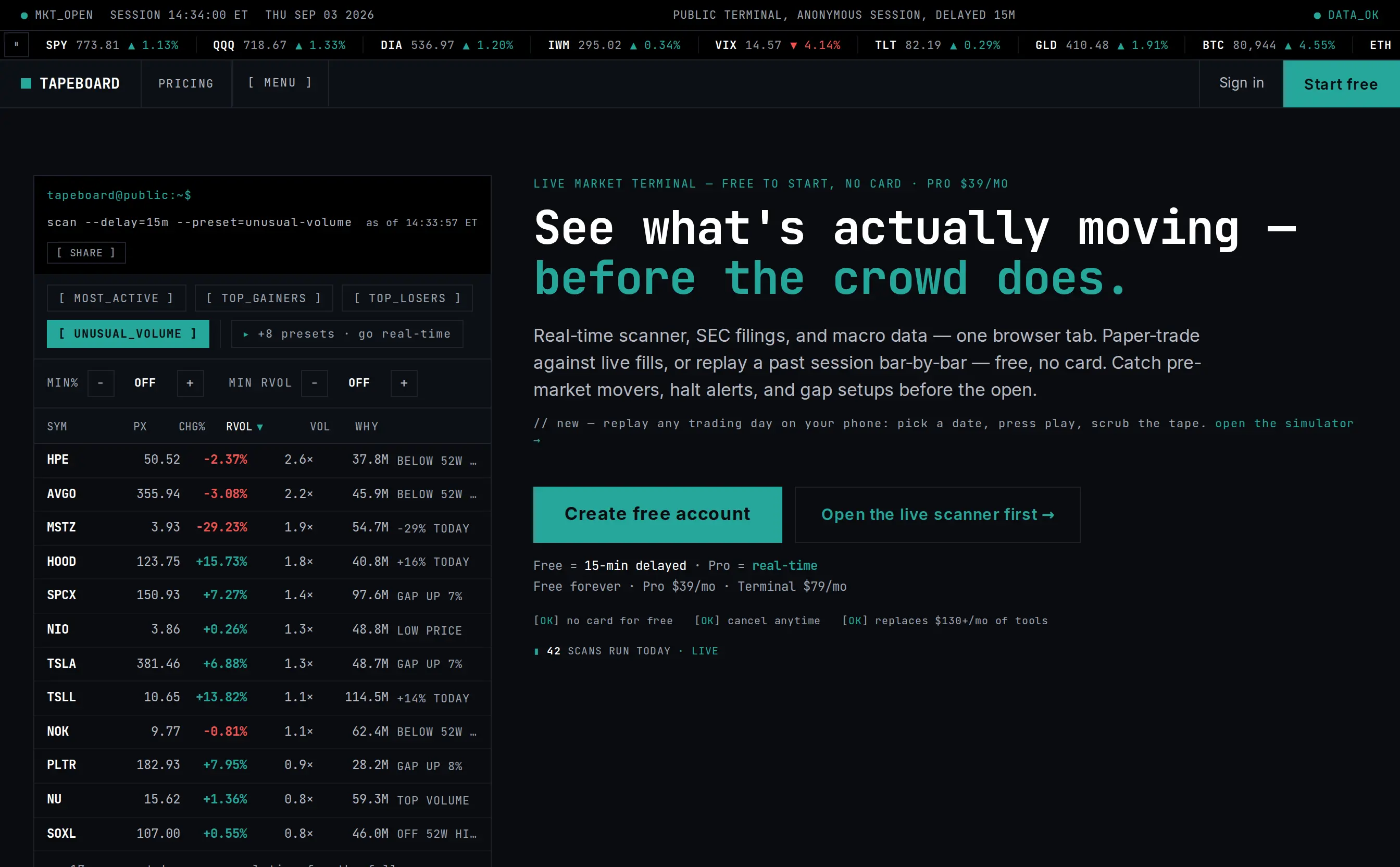
Tapeboard.com opens with the live product — a working mini-scanner and real surfaces — not a render. See what the platform does in the first five seconds.
The homepage now opens with the real product: a working scanner on live data, not a screenshot.See the homepage →
Improvements
A real speed pass across the whole terminal: pages reserve their space while data loads (layout no longer shifts as content arrives), the scanner boots roughly twice as fast as it did at the start of the month, and chart panels draw once per tick instead of twice.
Squeeze board learned context: a CAT flag marks names with a fresh news catalyst, an SI badge shows the age of the short-interest reading it rests on, and verdict tags judge the board against today’s tape instead of fixed cutoffs.
Alerts got a proper home: a master notification switch, per-category toggles, quiet hours, and chime templates — and custom scans can push alerts to your pocket even with the tab closed.
Watchlists take notes per ticker now, and your saved watchlists show up right on the Watchlist page.
AI chat remembers your thread per stock — leave, come back, it’s still there.
Light theme reached every last chart surface — every page honors your Light/Dark preference.
Fixes
Level 2, Depth, and Montage ladders no longer freeze after a ticker switch.
Charts keep painting after hours — quotes outside regular sessions flow onto the live candle instead of freezing the chart at the close.
Halt alerts fire once per halt, not twice.
Email got sturdier on our end; alerts and daily digests arrive when they should.
Ask the tape questions. It answers.
New this month
Break It Down — what’s actually moving a stock
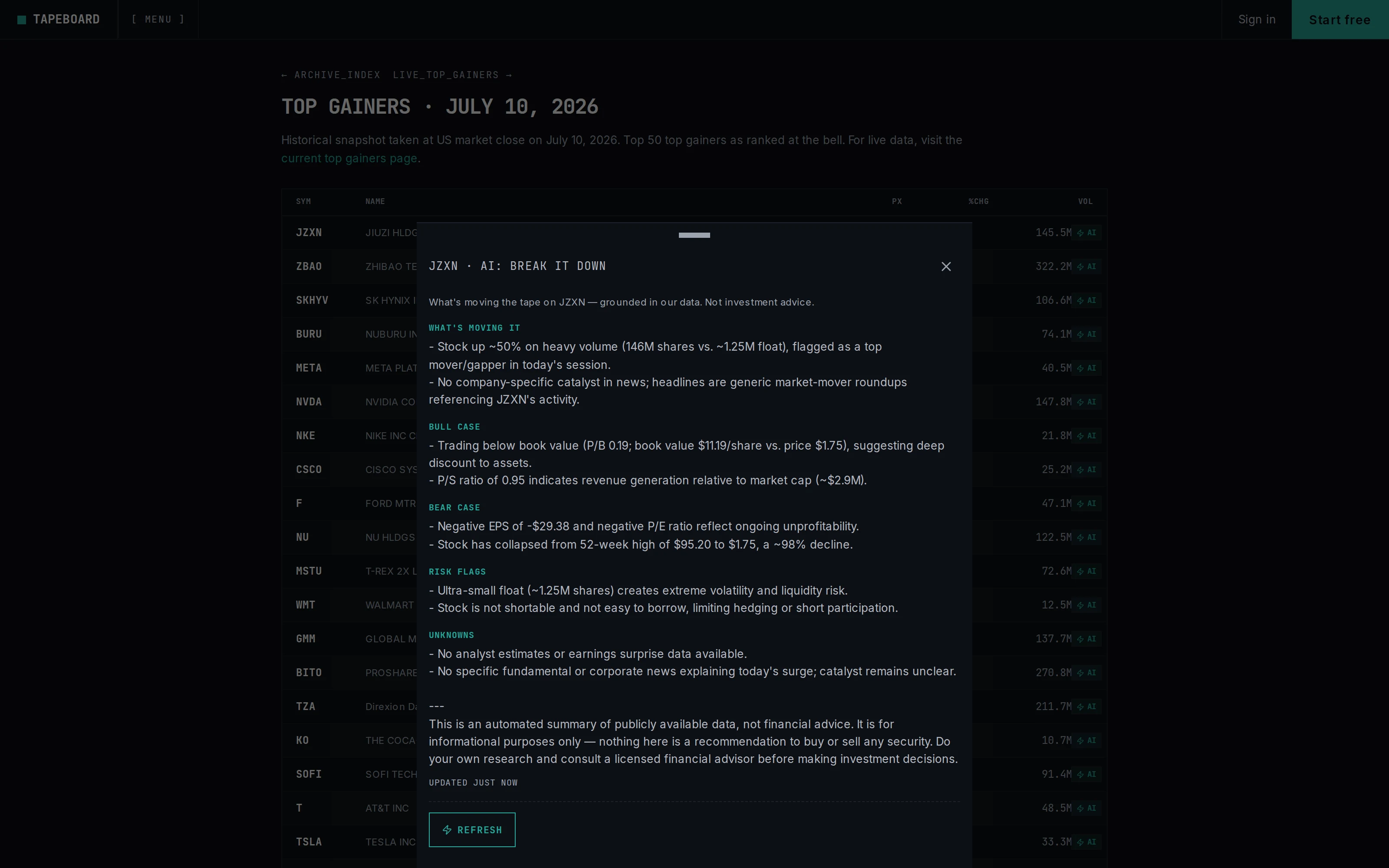
One button on any ticker gives you the plain-English read: what’s moving it, the bull case, the bear case, the risk flags — grounded in the same live data you’re looking at. It explains; it never advises. Everyone gets one free breakdown a day.
Break It Down — a plain-English read on what’s actually moving a stock, grounded in live data.Try Break It Down →
Earnings Desk
A filings-based read on a company heading into its report — revenue trend, cash flow versus accruals, what buybacks are doing to the share count. Numbers, not forecasts.
12 new momentum indicators from the research world
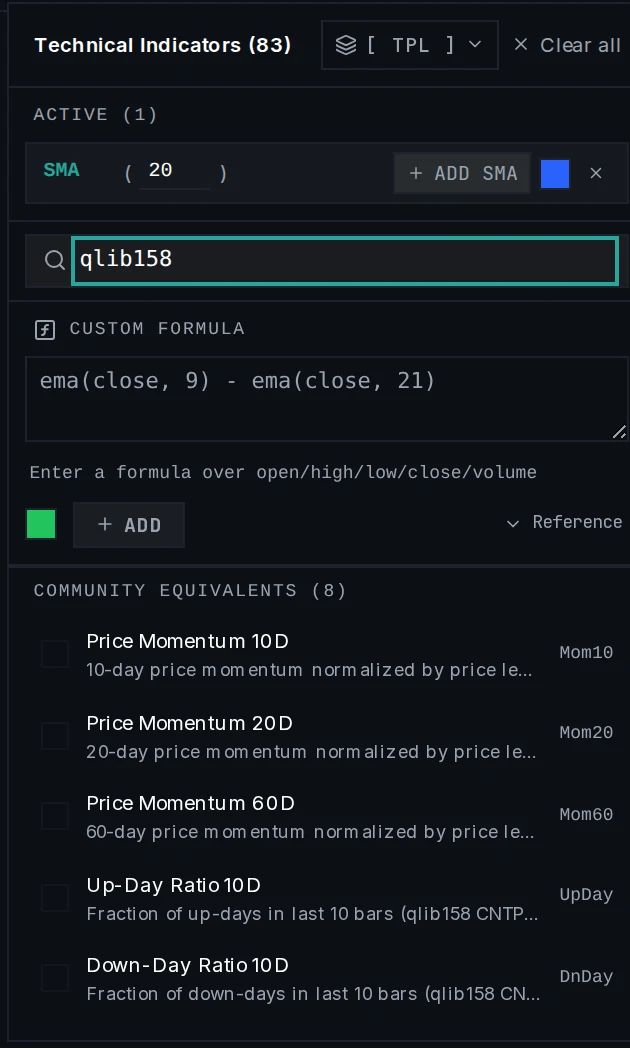
Momentum and breadth factors adapted from academic quant work — 10/20/60-day momentum, up/down-day ratios, range position, price-volume divergence and more — in the indicator picker under Community. No formula editing required.
Momentum and breadth factors from academic quant research, one line each, no setup.See it on a chart →
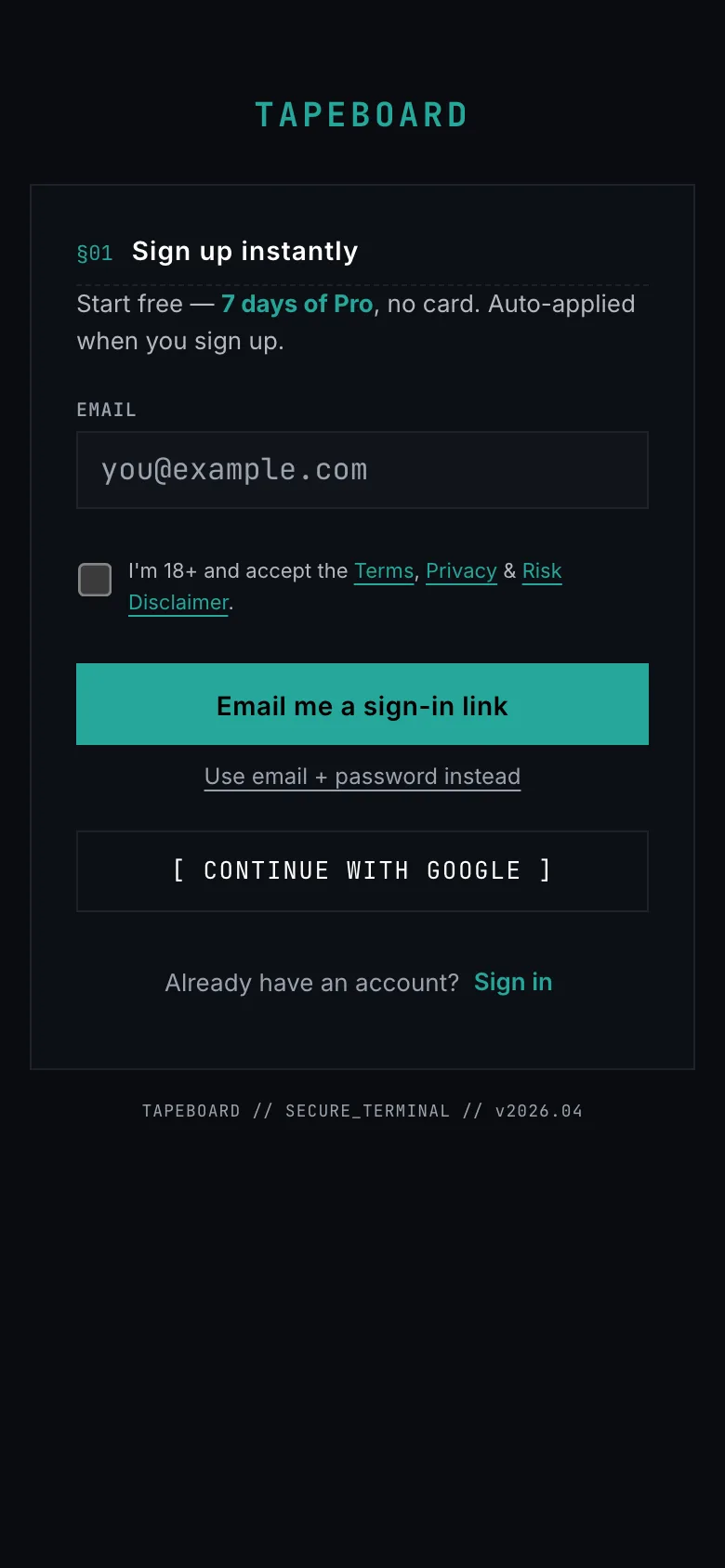
Magic-link sign-up on your phone
One tap from phone to account: email in, sign-in link out. No password to invent and forget.
Mobile signup, simplified — email in, sign-in link out.
Your watchlists, actually yours
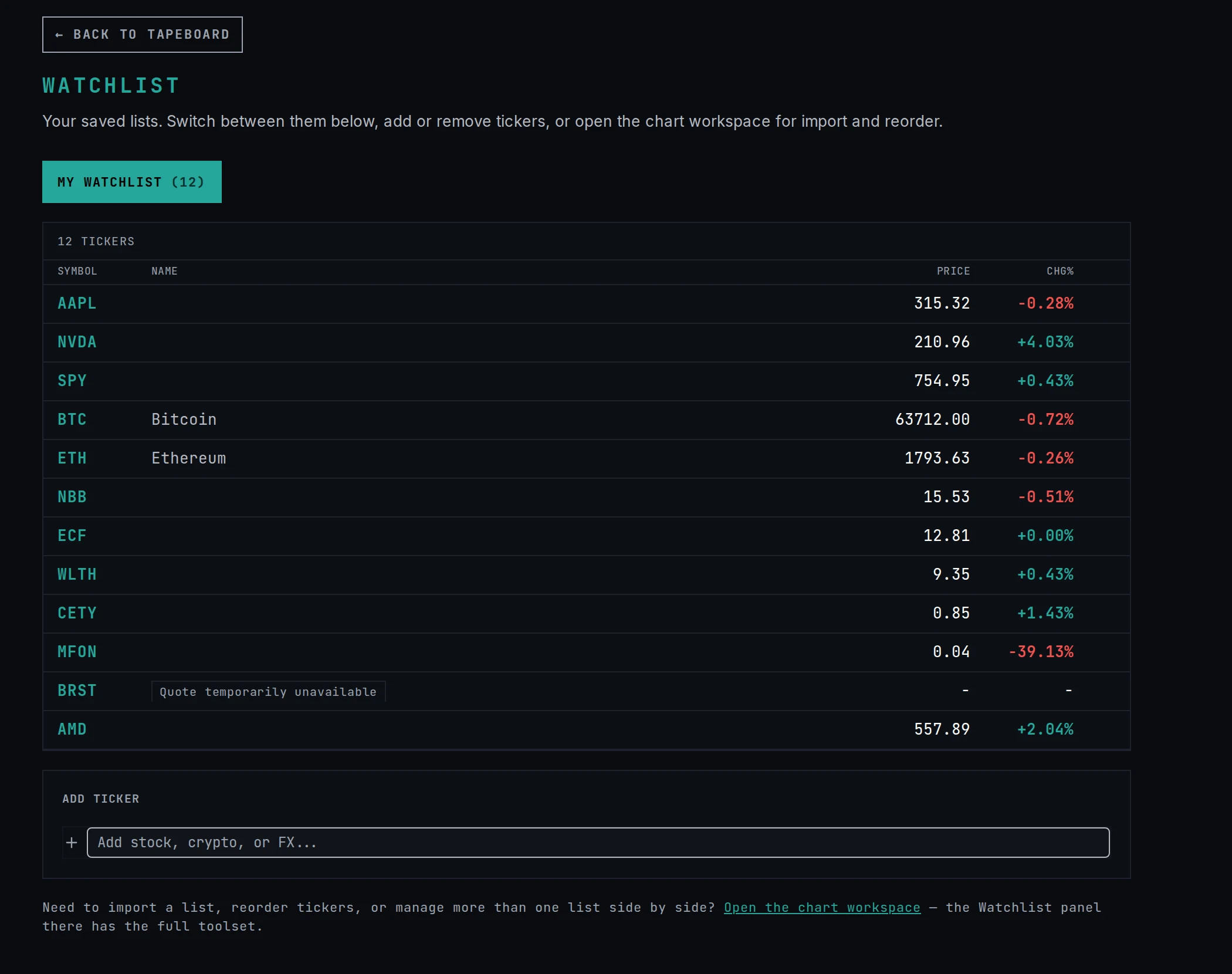
The Watchlist page shows YOUR saved lists — pick one, edit it inline, and the whole app stays in sync.
Your saved lists, right there on the Watchlist page — pick one and it stays in sync everywhere.Open Watchlist →
Improvements
You can browse a working terminal before you sign in — live scans, charts, and news — so an empty unlock screen is never your first impression.
Free tier got real: one free Break It Down a day for everyone, three when you have a free account, and the Free Level 2 page spells out exactly what you get.
The scanner reached a 500-symbol universe with a new Momentum Now preset for the fastest movers of the session, and preset tabs show their live hit counts.
The alert builder reads like a sentence — indicator, period, condition — and alerts deliver even with the tab closed.
The BREAKING banner got pickier: it interrupts only for hard catalysts, and once you dismiss a headline it stays dismissed.
Fixes
Every price on a ticker page — quote, chart, tape, panels — now comes from the same read, all session long.
Scanner labels tell the truth: the freshness chip shows when data was actually computed, volume figures hold the day’s cumulative number, and the VWAP column is named what it actually computes.
The simulator explains order rejections in plain language, with the ticket left open for another go.
A full trading desk: options, drawing tools, and alerts anywhere in the room.
New this month
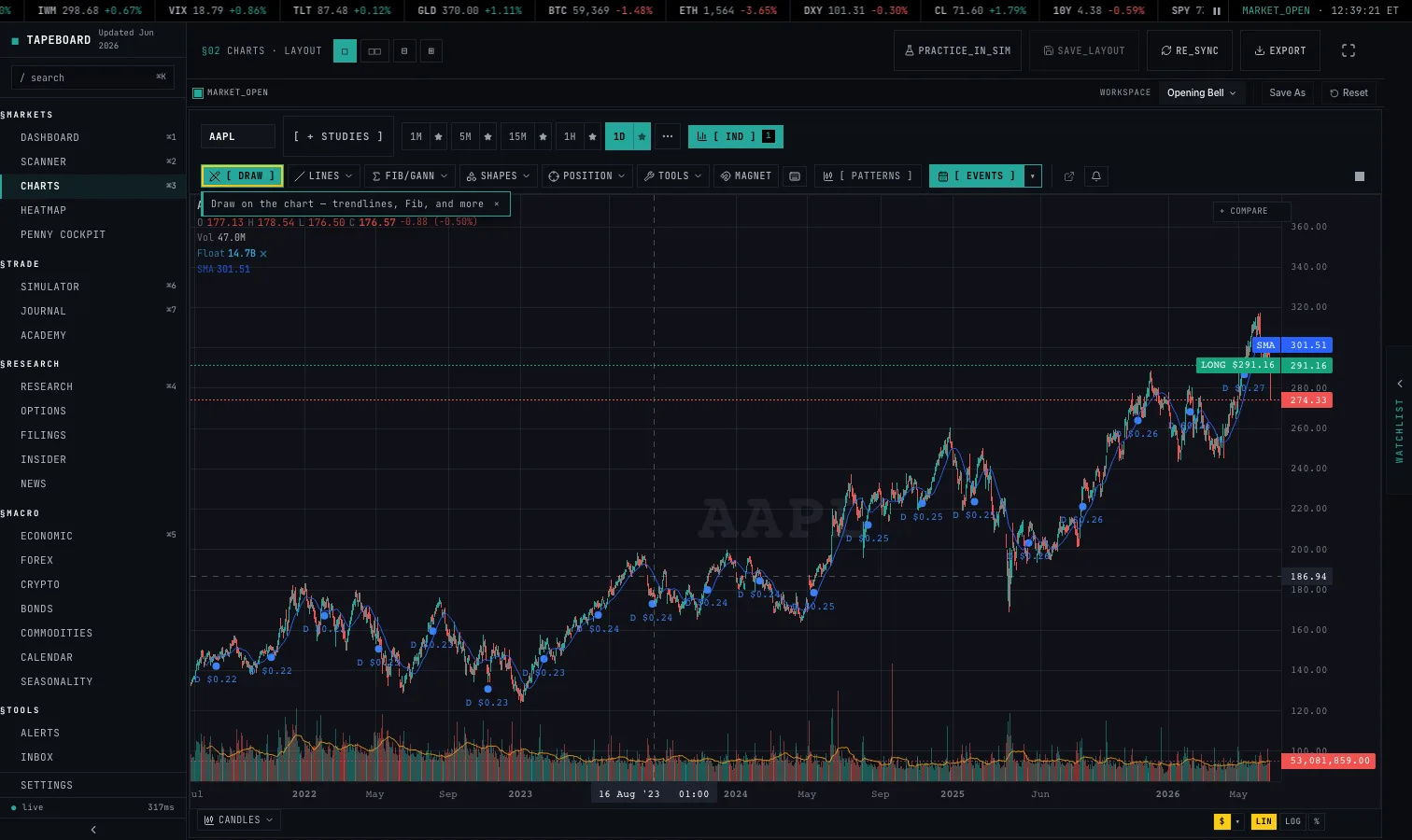
Draw on the charts
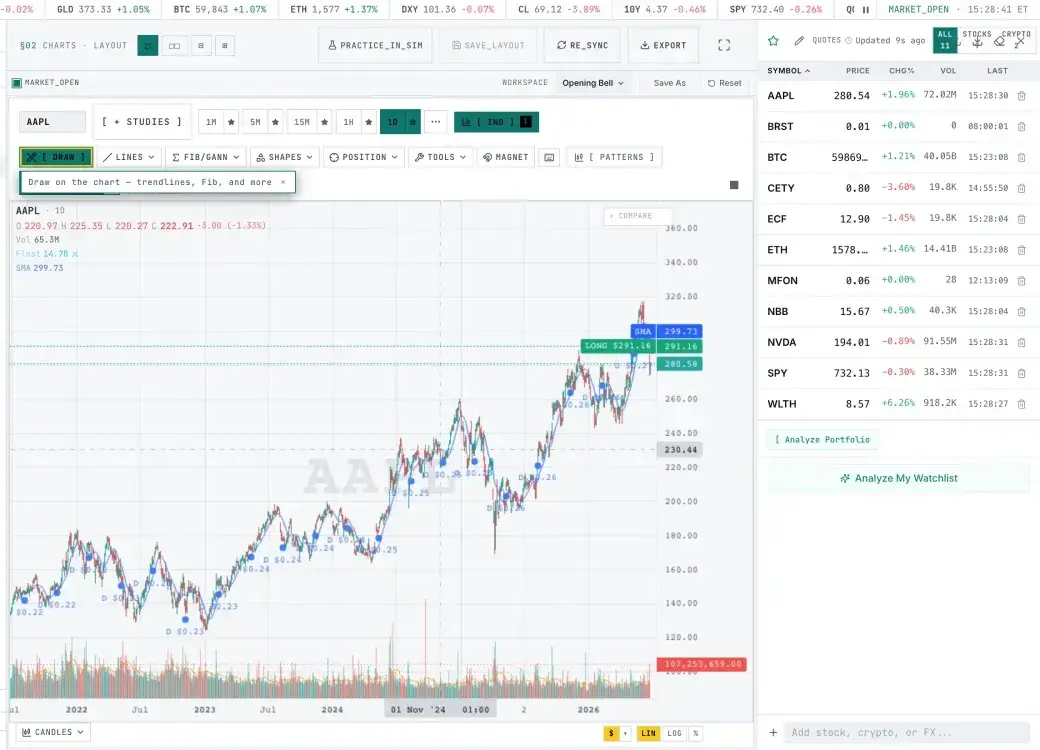
Trendlines, Fibonacci, rectangles, notes — your drawings save per symbol and follow you across devices. Each tool remembers your style.
Anchor a VWAP to any candle; every drawing tool remembers your color and weight.Draw on any chart →
Options trading with full Greeks
The complete options chain with implied volatility and the Greeks for every strike — and paper-trade options right next to your stock positions.
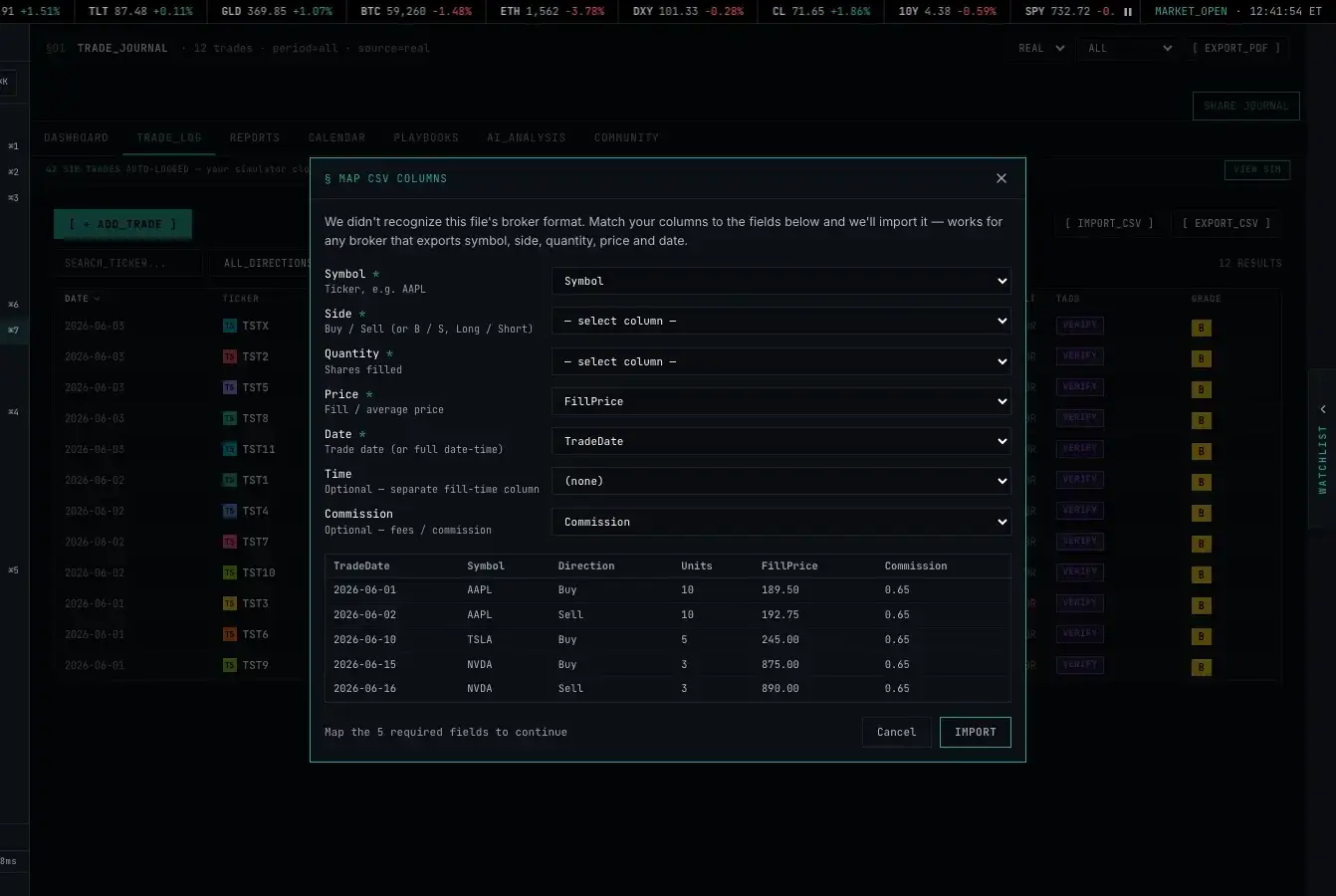
Drop a CSV from any broker and the Import wizard maps the columns and brings your trades in paired and fee-inclusive. Sterling, IBKR, TradeStation, Tastytrade and more have first-class support.
Any broker can export CSV → mapped, paired, and charted in the journal.Journal → Import →
Alerts that find you anywhere
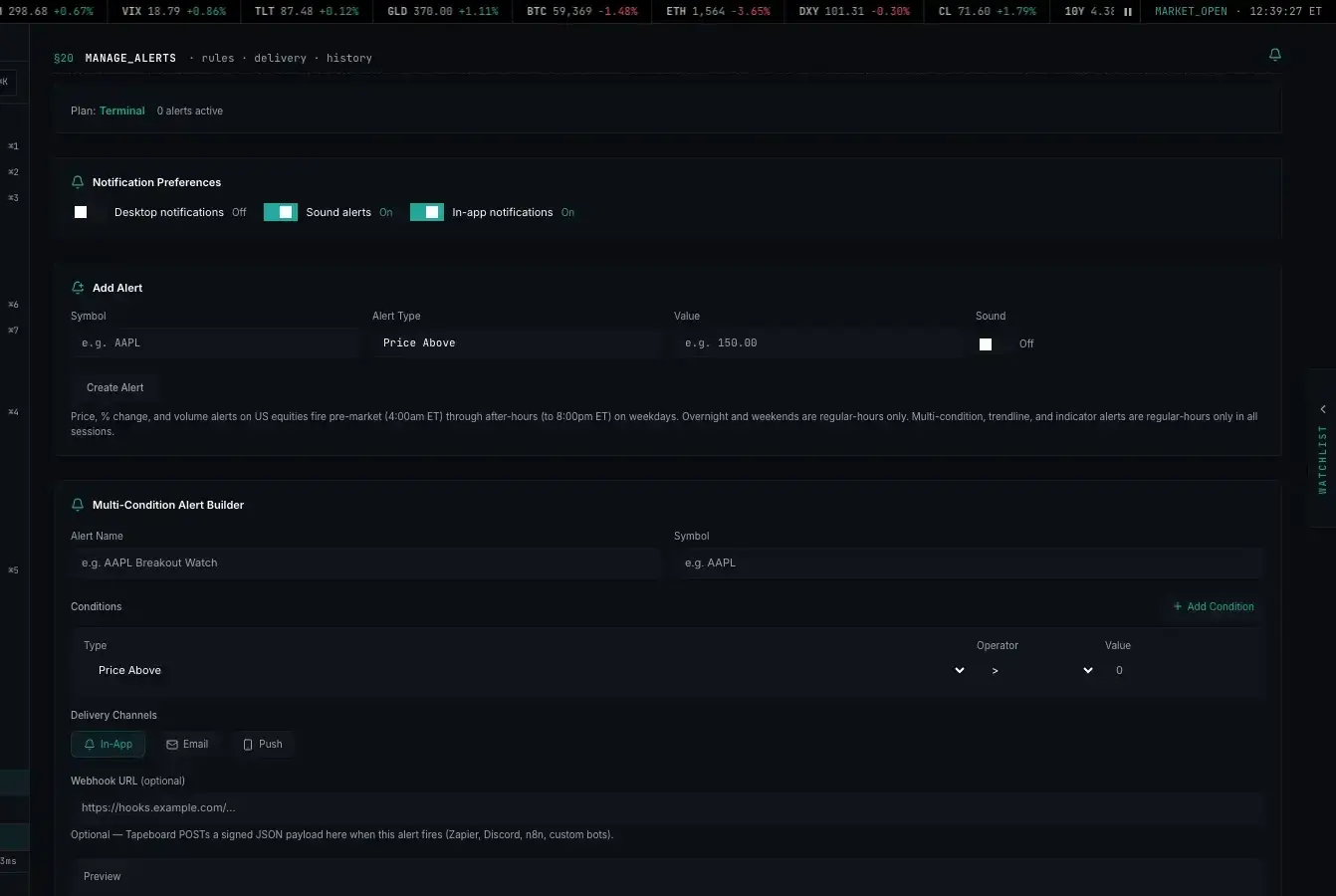
Multi-condition alerts now run server-side and reach you with the tab closed — in-app, email, or webhook into your own tools.
Multi-condition alert: choose email, app, or webhook — it fires even when the app is closed.
Light theme
Settings → Appearance now offers System, Light, and Dark. The default follows your device automatically.
The light theme follows your system setting by default.
Crypto heatmap and the /halts tape
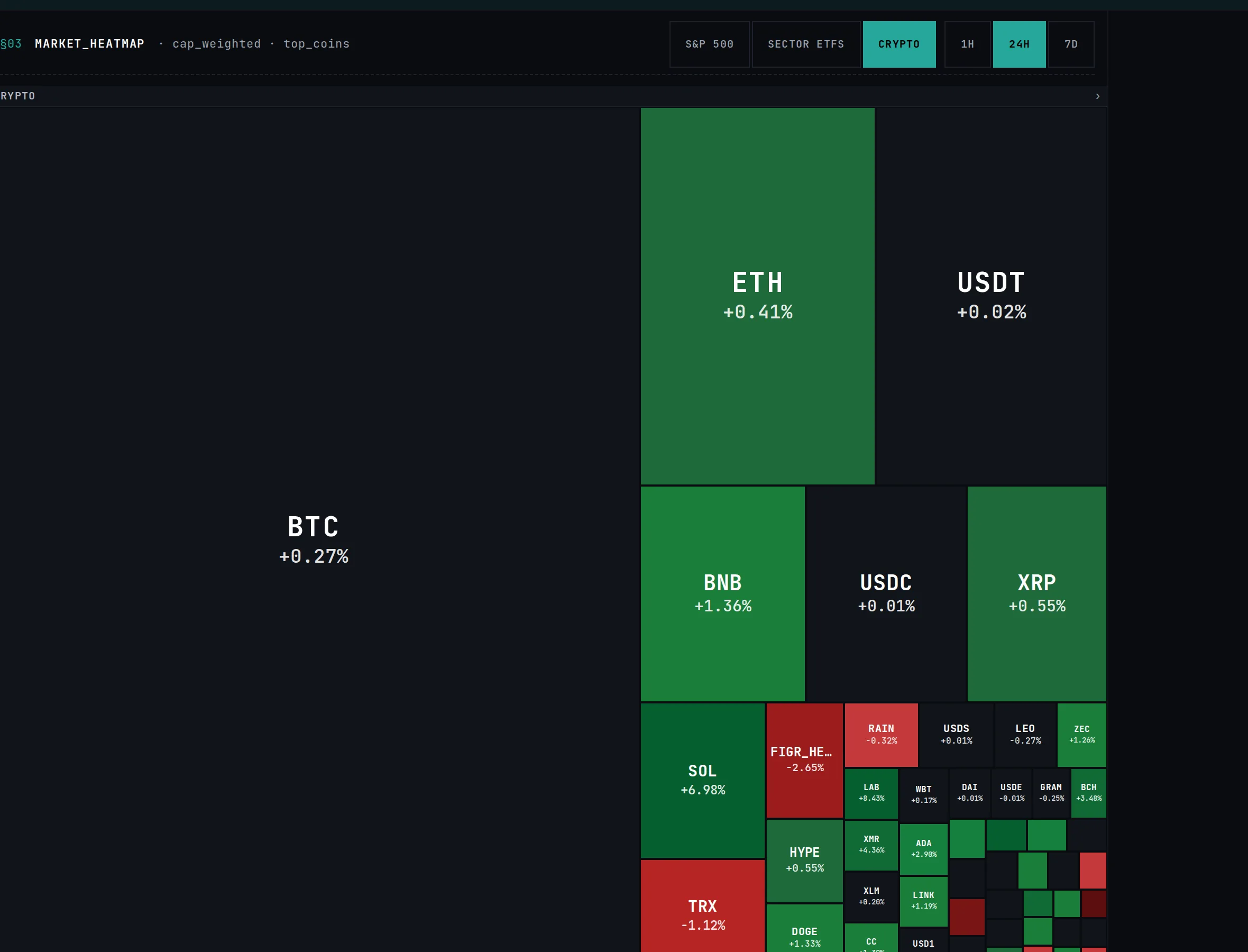
A crypto overview heatmap (market-cap weighted, hourly and daily), plus a live page of today’s trading halts — LULD circuit breakers, news halts, resumes — all in one read.
The crypto heatmap: the whole coin market at a glance.Open the heatmap →
Improvements
Charts feel faster load-to-load: symbol switching no longer rebuilds the whole chart, and micro-charts only repaint when the data actually changes.
The simulator learned broker-grade behavior: market-hours-aware day orders, realistic limit fills, estimated fill prices before you commit, and honest slippage after hours.
The journal got deep: Sharpe, exit efficiency, hold-time analysis, a monthly PDF export, and shareable drill-downs per stat — plus share your whole journal with a coach through a private link.
Tape Score now sits on your dashboard from day one, explained, free on every plan.
Watchlists and quick preferences carry with you the moment you sign in — a fresh device is never a fresh start.
Fixes
Scanner rows and watchlist tables hold their shape: ticker symbols stay pinned while data scrolls, and duplicate rows in Most Active are gone.
Occasional sign-in email links that outlived their welcome now work for a full week.
Stop-loss and take-profit attachments stay exactly where you put them, including across devices.
The terminal era begins.
New this month
The Tapeboard terminal, relaunched
Scanner, charts, research, options, simulator, and macro data — one workspace with one command bar and one hotkey language across it all.
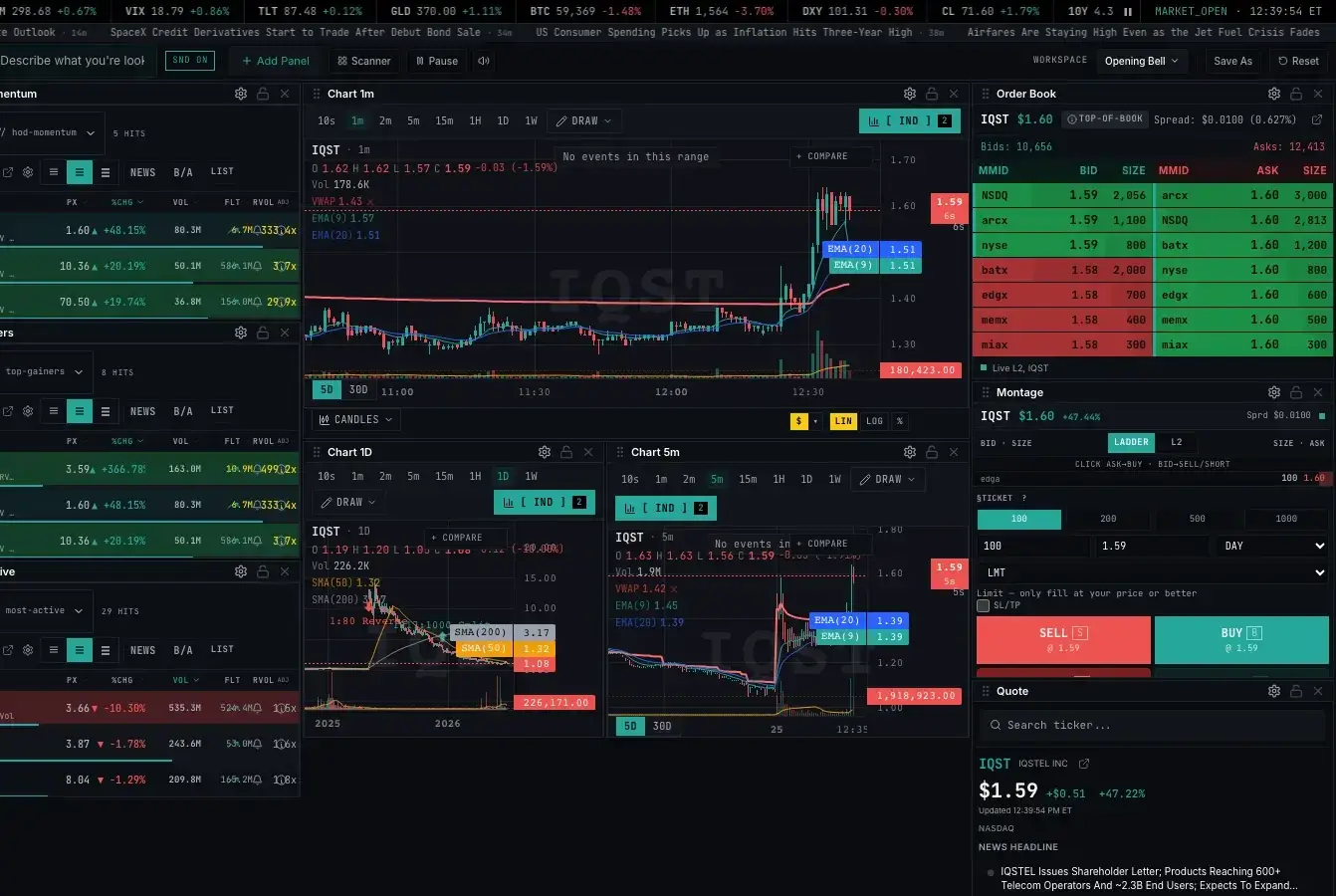
Scanner, chart, and Level 2 side by side — the desk layout from day one.See the terminal →
Over 50 indicators and a full drawing toolkit
The chart unlocks everything the engine can hold: dozens of technical indicators, drawing tools with per-symbol persistence, auto-detected patterns, and a custom-formula editor.